

Kuality guides
Your first website test
Go from your website to one useful finding. Start with an accessibility check, then check your changes with a rerun.
Available on the Free plan
One accessibility run uses 1 credit. No credit card or test scripts needed.
1. Create your account and add your website
Sign up, confirm your email if you use email signup, and create an organization. Enter the website you own or have permission to test. Complete the setup steps, then choose Run your first test on the dashboard.
Already have an account? Open the guided check above. Your saved website is selected for you. If you have more than one, choose the one you want to check.
2. Run the recommended accessibility check
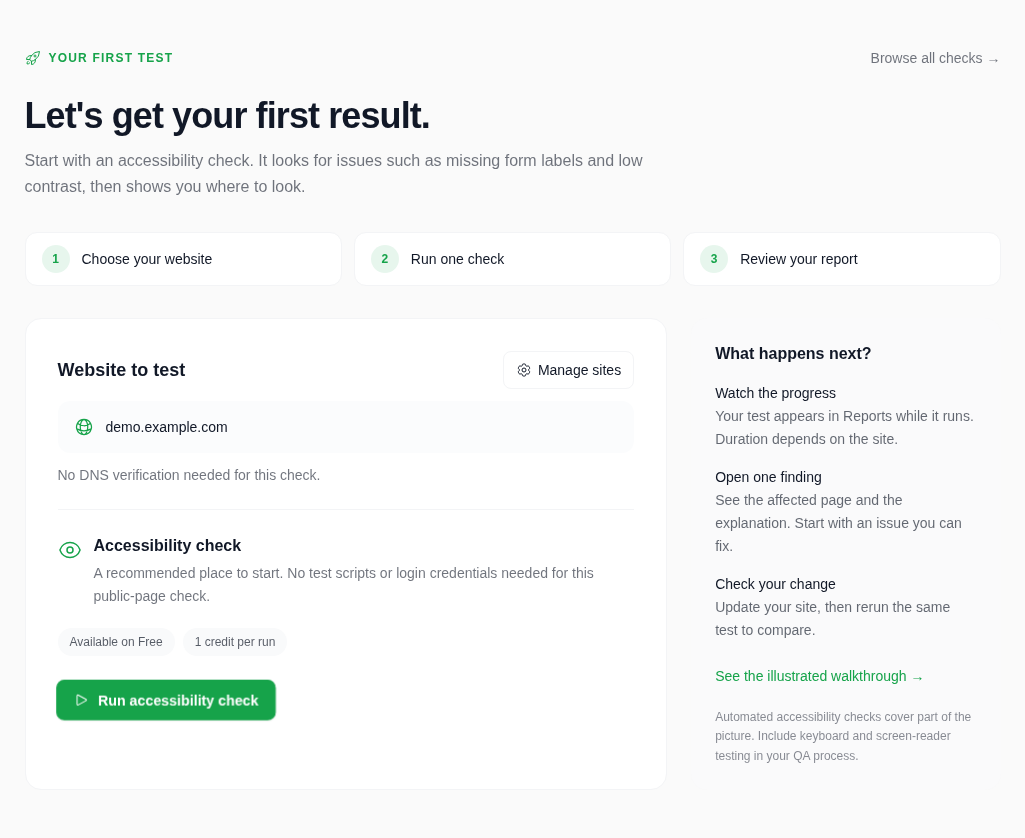
Choose the website you want to test and click Run accessibility check. No DNS ownership verification is needed for this check. The first-test guide has already selected accessibility; you can explore the other test types later.
3. Follow the test in Reports
Use Follow your test in Reports after launching, or open Reports from the menu. Wait for the status to finish, then open the accessibility report. The runtime depends on your website; a queued test may need a little time to start.
4. Turn one finding into a fix
Read the issue and check the affected page. For example, a finding about a missing input label means the purpose of a field may not be clear to someone using assistive technology.
Example · missing email label
- Open the form on the affected page and locate the email field.
- Add a visible label and associate it with the input. A placeholder alone is not a label.
- Deploy your change, then run the same accessibility check again.
- Compare the new report and verify the form with a keyboard as well.
A clean automated report is useful evidence, but a complete accessibility review includes manual testing.
If the test can't reach your site
Check that the website is publicly reachable and the URL is correct. If your site presents a bot challenge or blocks test traffic, follow the provider-specific allowlisting guide in the docs.
Cloudflare troubleshooting →Ready to check more?
Try performance or broken-link checks next. For an AI-planned pass across multiple test families, Kuality AI is available on paid plans.